Rest
RestaurantsCafésBarsHotelsPizzerias

Orders from the table — straight to the kitchen

Guests order at the table or waiters from any device — straight to the kitchen. Floor plan, bill splitting.

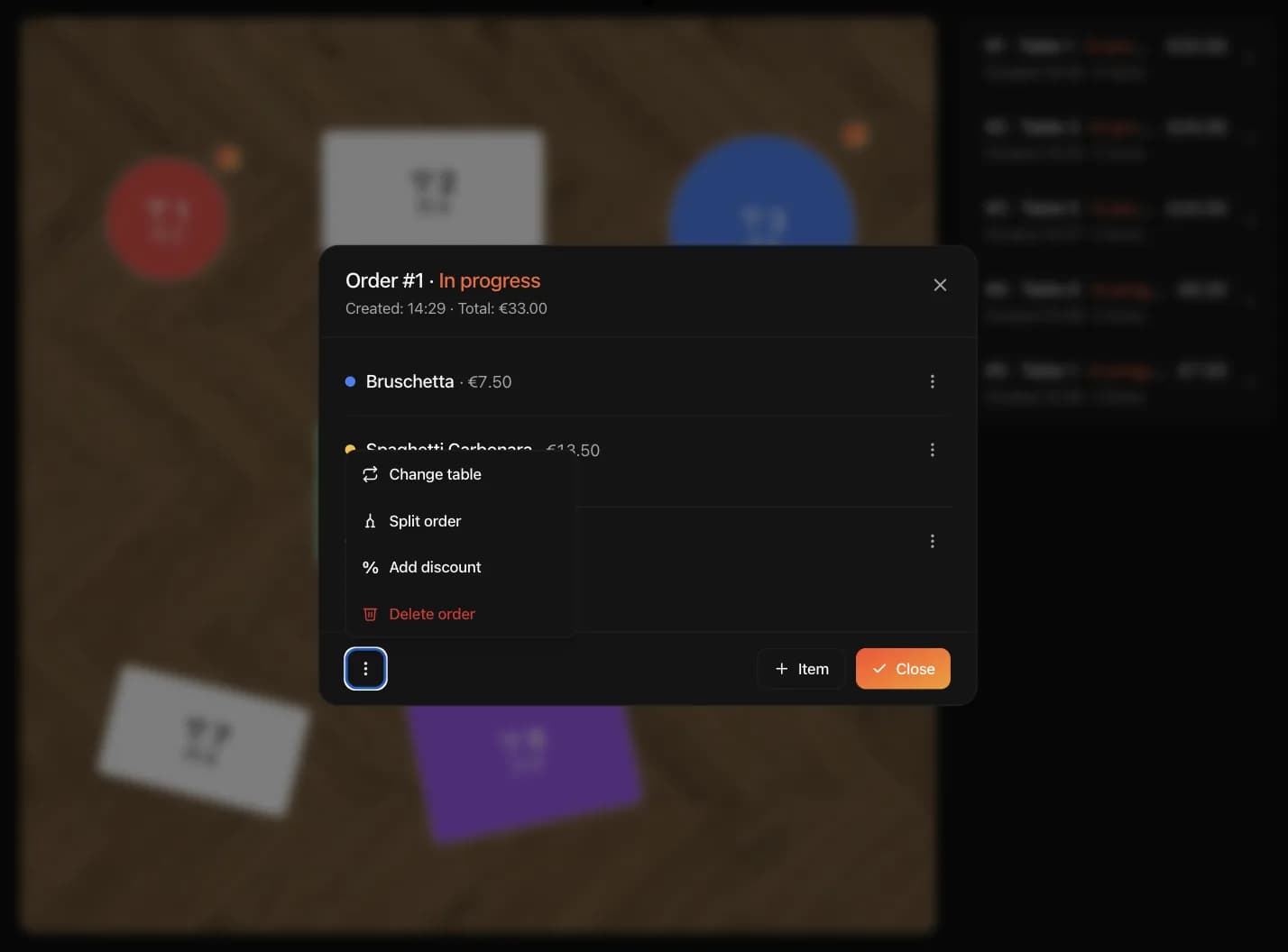
Tablet with an open order: dish list and order actions — change table, split order, add discount

Floor map and order list

Active orders next to the floor map: tables are color-coded by status, and a tap opens an order or creates a new one.

  • Tables by status

    Empty, occupied, needs attention — visible at a glance

  • Active order list

    Total, time placed and item count for every order

  • New order from the map

    Tapping a free table opens order entry right away

A status for every item

The kitchen and the waiter see the same picture: every dish carries its own status — from placed to served.

  • Per-dish statuses

    Pending, Cooking, Ready, Served — per item, not per order

  • Item duplication

    Repeat a dish with the same options in one tap

  • Edits in place

    Remove an item right from the order card

Bill splitting

Guests pay separately — check the items and they move to a new bill. Totals recalculate instantly.

  • Per-item checkboxes

    Pick the dishes for the new bill; the rest stay on the current one

  • Totals shown immediately

    The new and remaining bills are calculated automatically

  • One tap

    The order is split without manual math or a calculator

Order entry from the waiter's phone

Waiters take an order on their own device in three steps: category, dish, options.

  • Any device

    A phone or tablet with a browser — no installation required

  • Priced options

    Size, add-ons and dish variants with pricing in one tap

  • Dish comments

    Guest requests are added at the final step — the kitchen sees them right away

Set up your order-taking system in 5 minutes.

Scan a paper menu or a PDF — AI recognizes dishes, prices and categories. Connect a tablet on the floor and start taking orders from the tables.

Frequently asked questions

What restaurateurs ask about order taking in IQ Rest. If your question isn't listed — message us on WhatsApp.

Message us on WhatsApp

Can several waiters work simultaneously from different devices?

Yes. Each waiter connects their own device and sees the same tables, orders and statuses in real time. A change made by one appears instantly for the others — no conflicts or locking.

Can waiters use their personal devices?

Yes. The orders screen runs in the browser — nothing to install. A phone or tablet connects with a six-digit code from the dashboard, and access is revoked with one tap at the end of the shift.

Can I add required options to dishes (size, doneness)?

Yes. A dish can have any number of option groups — required ("Size": Small / Medium / Big) and optional ("Doneness": rare / medium / well done). Options affect the price. With a required group, the system asks for a choice — eliminating mistakes.

Can I add comments and extra items to a dish?

Yes. The last step has a comment field ("no onions", "nut allergy"). Extras are set up as priced options ("+ BBQ sauce", "+ Bread"). Comments appear on the kitchen display, highlighted in color.

Is there order statistics?

Yes. The analytics section shows revenue by day, average ticket and best-selling dishes. This data helps you plan shifts and purchasing.

Can orders be split?

Yes. Check the items that go to a new bill — both totals recalculate automatically, no manual math and no jumping between sections.

Orders in 10 minutes. 14 days of full access.

No card needed, cancel anytime. 500+ restaurants take kitchen orders with us. All you need is an email.