Order taking: guest and waiter — straight to the kitchen.
Guests order through the QR menu at the table or the waiter takes the order from a phone or tablet — the order lands on the kitchen display in seconds. Floor map with colour-coded tables, bill splitting, flexible options and comments. No notepads, no trips to the bar.
14 days free · No card required · Cancel anytime
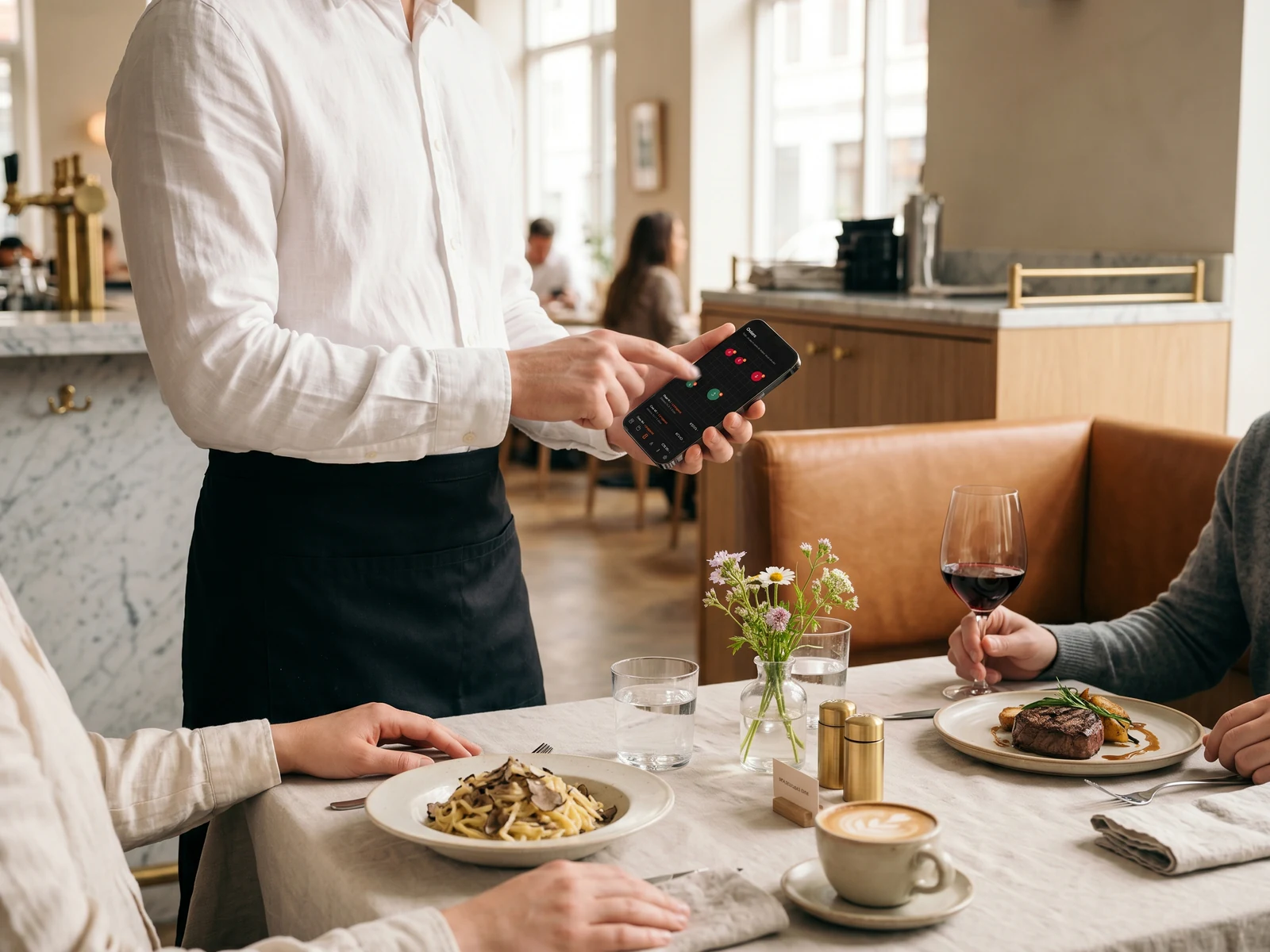
Set up the ordering system in 5 minutes.
Upload a paper menu or PDF — AI recognises dishes, prices and categories. Connect a tablet in the dining room and start taking orders at the tables.
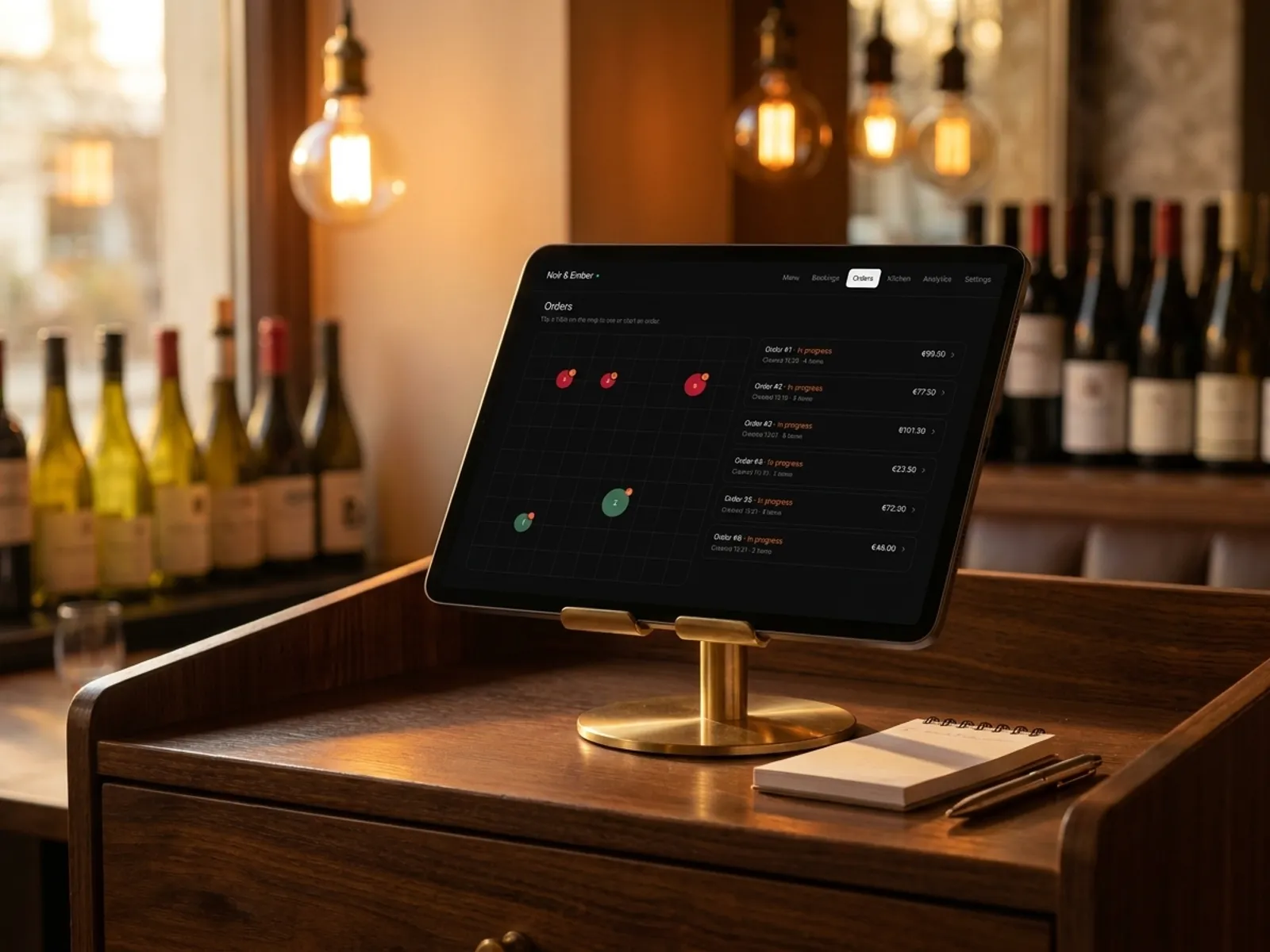
Order list next to the floor map.
All active orders on the right: status, total, time, item count. On the left — the floor map: tables coloured by status — empty, taken, needs attention. Tap a table to open or create an order; tap a card to open the detail view. No screen-hopping.
- Floor map: tables colour-coded by order status.
- Order list alongside — total, time, item count.
- Tap a table to open or create an order.
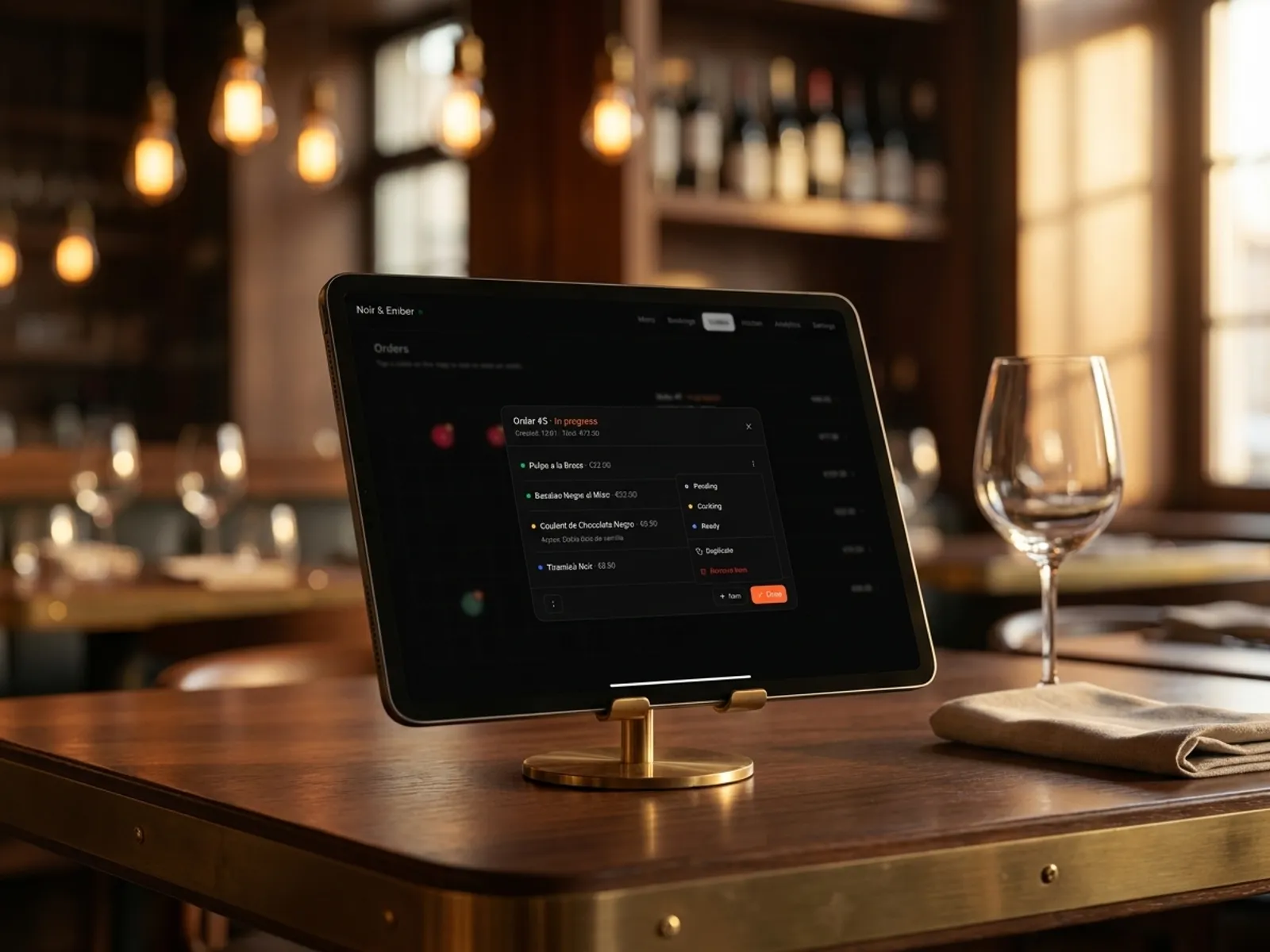
Order card: statuses, duplicate, delete — one tap.
Each item has its own status (Pending / Cooking / Ready / Served) — kitchen and waiter see the same picture in real time. Tapping the dot opens the action menu: change status, duplicate the item with the same modifiers and options, delete. Everything inside the card.
- Per-item status: Pending / Cooking / Ready / Served.
- Duplicate an item in one tap with the same options.
- Delete an item directly from the card.
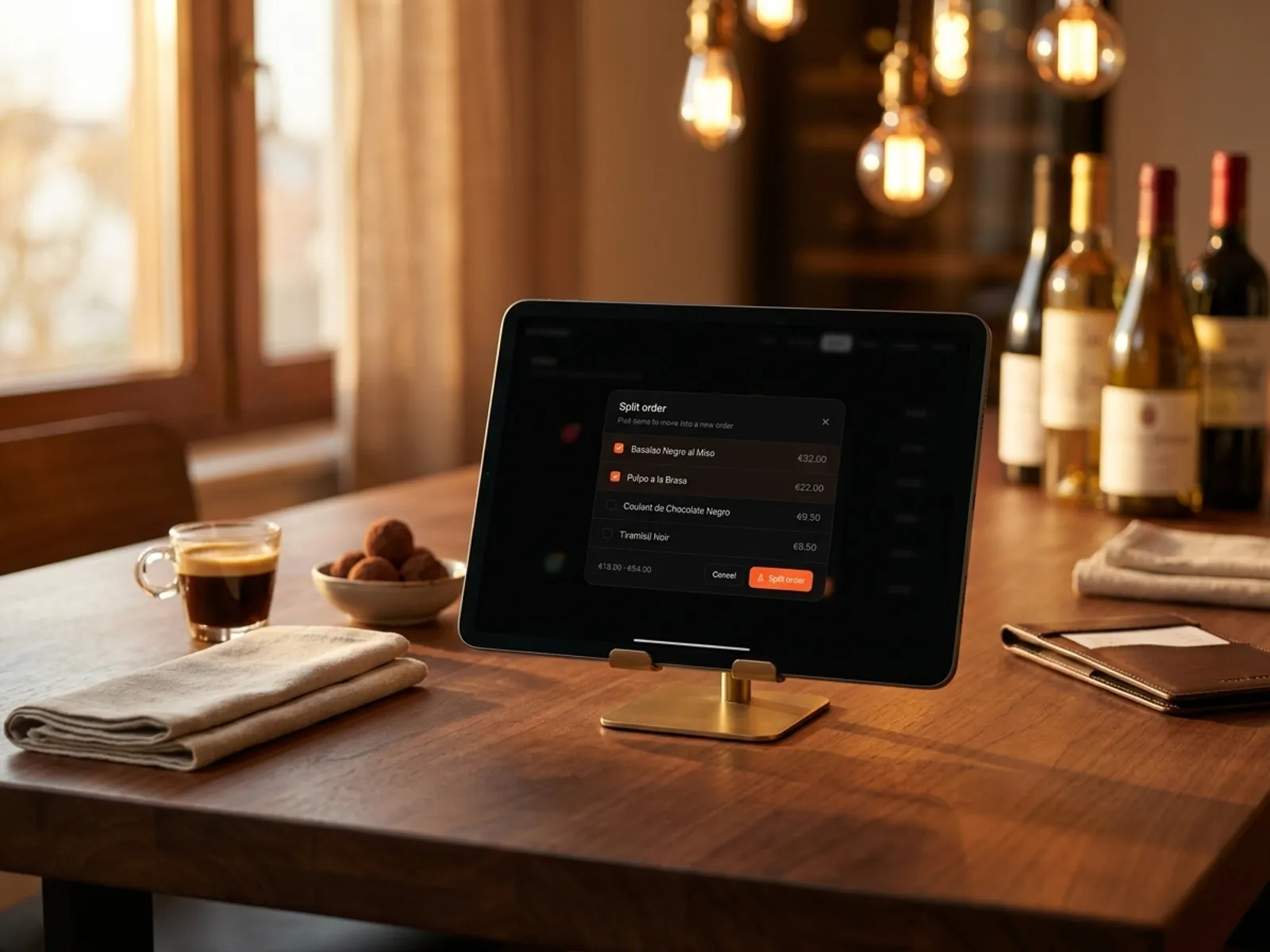
Split the bill when guests pay separately.
Guests decided to split — tick the items that move to a new ticket; the rest stays on the current one. The system instantly shows both totals. One tap on 'Split order' and you have two independent orders with correct totals, both still tied to their tables.
- Pick items to split with checkboxes.
- Both totals shown instantly.
- One tap and the order is split without manual maths.
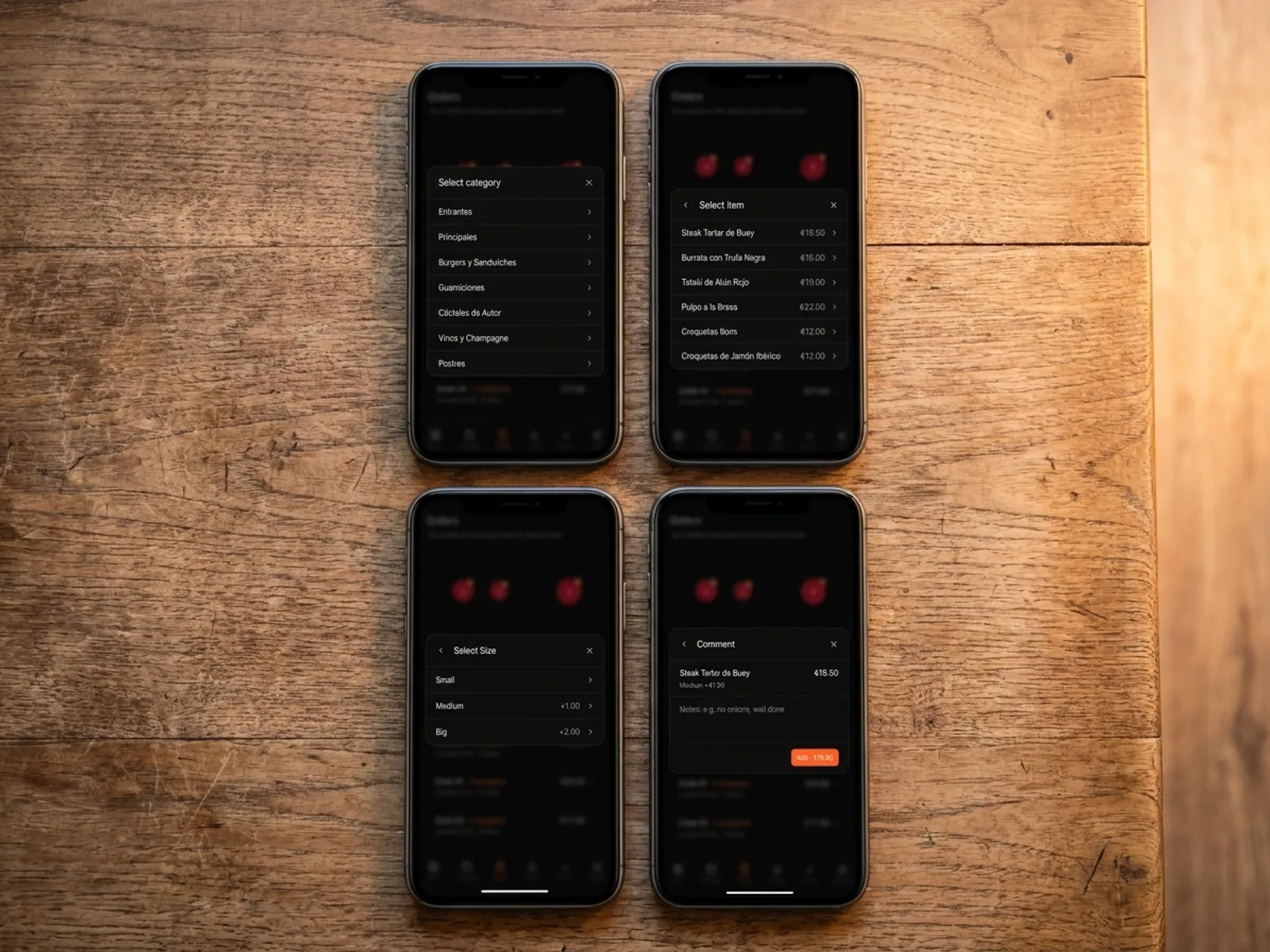
Add items from a phone — in three actions.
The waiter isn't tied to one device: open ordering on their phone and add an item in three steps — category, dish, options (size, doneness, extra sauce or ingredient). Price is recalculated automatically. The note for the kitchen goes on the last step.
- Three steps: category → dish → options.
- Options (size, add-ons, extras) priced in one click.
- Note field on the final step.
Built by restaurateurs
My wife and I ran our own café and we know first-hand how a restaurant day really works — order taking, bookings, floor and kitchen flow. We wanted a single tool: modern, easy to launch and clear at a glance — so we started building the platform we develop for other restaurateurs.

Bogdan Sokolov
founder, former café owner
Pricing. No hidden fees.
One transparent monthly fee. No percentage on orders and no aggregator commissions. Cancel the subscription anytime.
Basic
Menu, QR ordering and AI translation. Live in 5 minutes.
billed annually · €82.80 per year
or €9.90/mo · save €36.00 per year
- QR menu for every table
- Digital menu with photos and allergens
- AI translation in 35 languages
- Orders from the menu (optional)
- AI dish photo generation
- Manage from any phone or tablet
14 days free · No card required · Cancel anytime
Pro
Full restaurant control: kitchen display and bookings.
billed annually · €298.80 per year
or €31.90/mo · save €84.00 per year
- Everything in Basic
- Kitchen display (KDS)
- Online table booking 24/7
- Priority WhatsApp support
14 days free · No card required · Cancel anytime
Frequently asked questions.
What restaurateurs ask about order taking in IQ Rest. Can't find your question? Message us on WhatsApp.
Ask on WhatsAppCan several waiters work at the same time from different devices?
Yes. Each waiter signs into the shared restaurant account from their own phone or tablet — everyone sees the same tables, orders and statuses in real time. Changes made by one waiter appear instantly for the others, without conflicts or locks.
Can waiters use their personal devices (BYOD)?
Yes. It's a browser web app — nothing to install. The waiter opens a link, signs into the restaurant account from their iPhone, Android or personal tablet, and starts working. At the end of the shift they simply sign out.
Can required options be added to dishes (size, doneness, etc.)?
Yes. Every dish can have any number of option groups — required (e.g. 'Size': Small / Medium / Big) and optional ('Doneness': rare / medium / well done). Options can change the price (+€1.00). If a group is required, the system won't let the guest or waiter add the dish without choosing.
Can guests add notes or extras to a dish (bread, sauce)?
Yes. The last step of adding has a free-text note field ('no onions', 'well done', 'allergic to nuts'). Extras are separate priced modifiers ('+ BBQ sauce +€1.50', '+ Bread +€2.00'). Notes are shown on the kitchen display, highlighted in colour.
Is there order statistics?
Yes. The analytics section shows: revenue by day and hour, average ticket, top dishes, guest → order conversion, service speed (time from Pending to Served). This helps plan shifts, purchases and spot underperforming dishes.
Can orders be split or moved between tables?
Yes, both scenarios are supported. To split — tick the items that go into a new ticket (for guests paying separately). To move — open the order card, pick a new table; the entire order moves there. No manual maths, no leaving the panel.
Live in 5 minutes. 14 days free.
No card required, cancel anytime. Join 500+ restaurants already running on IQ Rest.
14 days free · No card required · Cancel anytime