Digital menu for restaurants.
Online version of your paper menu with photos, allergens, descriptions and live price updates. Guests see the menu in their own language; the restaurant saves on print.
14 days free · No card required · Cancel anytime
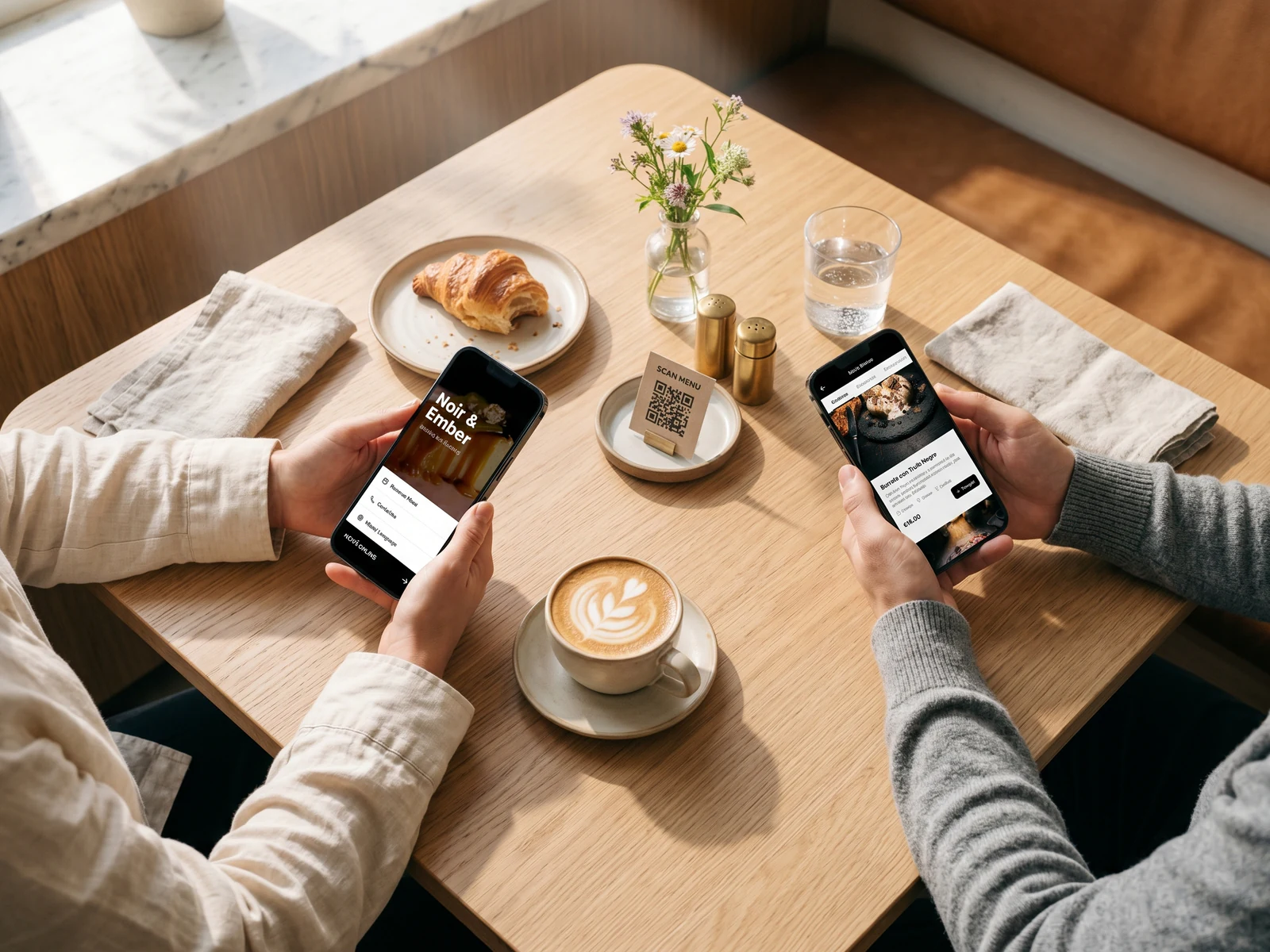
Got a paper menu or PDF? AI digitises it in 60 seconds.
Upload a photo or document — AI recognises categories, dishes and prices automatically.
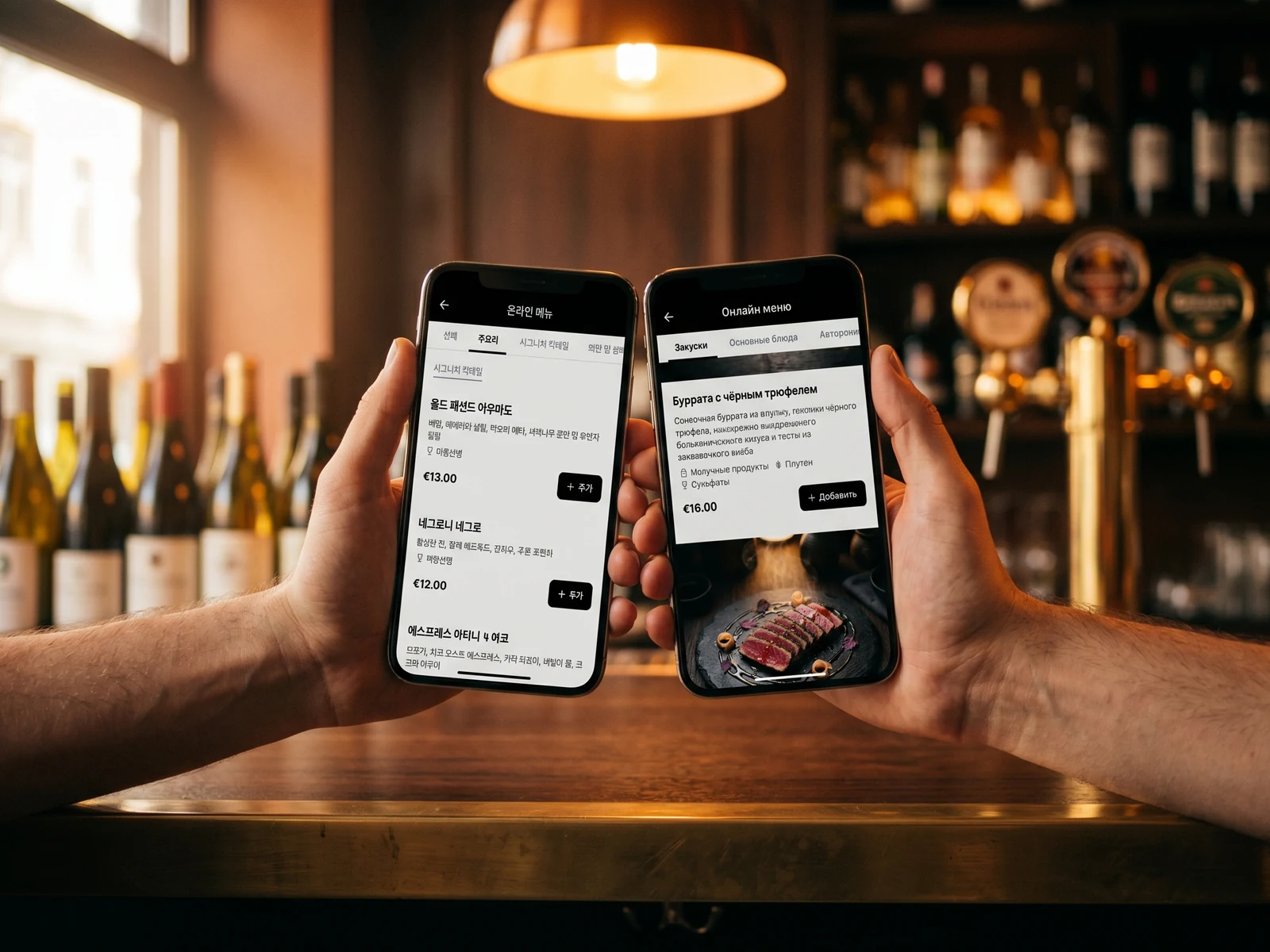
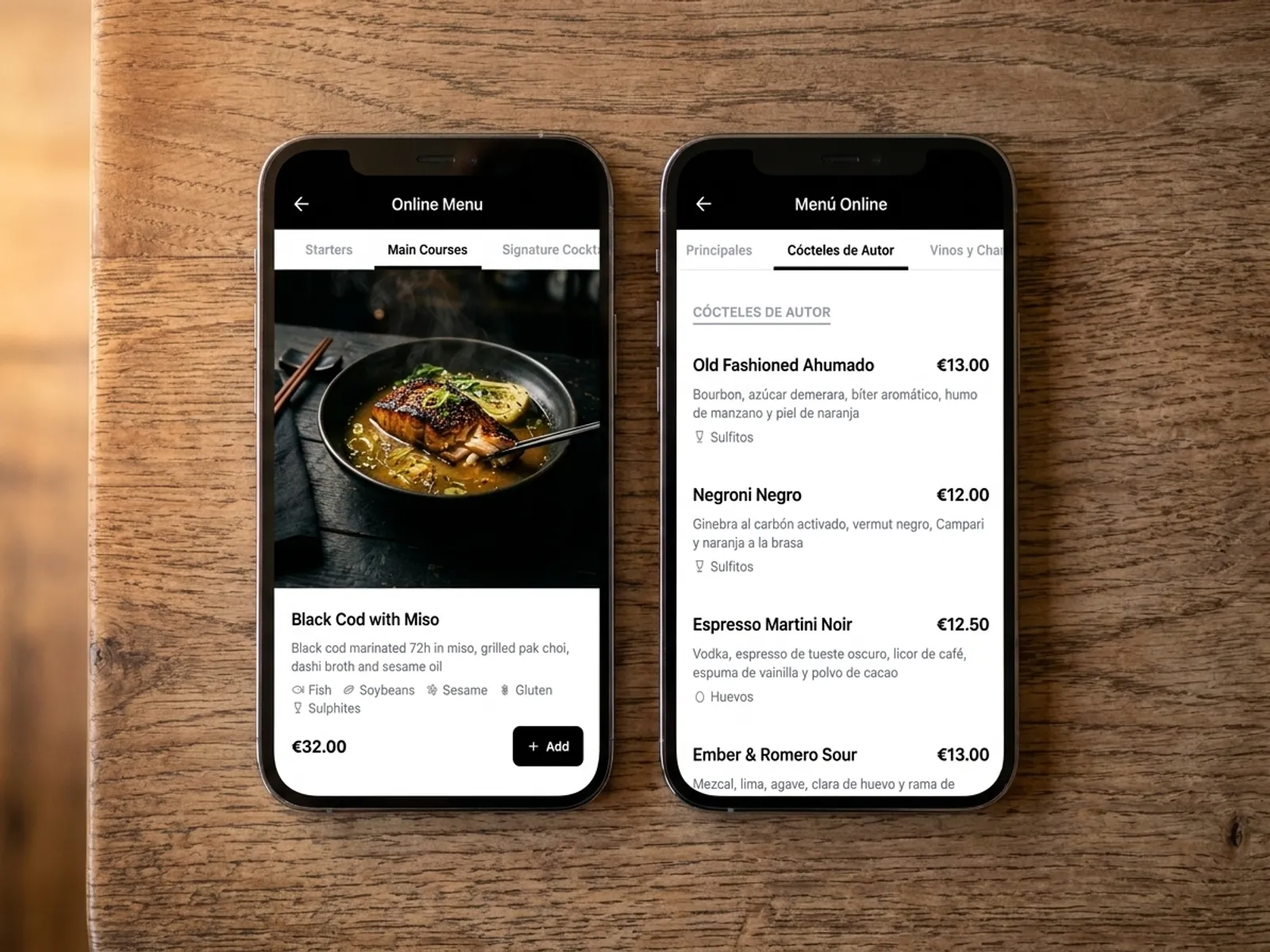
35 AI languages — every guest reads the menu in their own.
One QR code, 35 languages. The AI handles culinary context — dish names and descriptions sound natural. Tourists order with more confidence and average ticket grows without a waiter translating each item.
- 35 languages included in the subscription, no upcharge.
- Culinary-aware AI, not raw Google Translate.
- Guest switches language with a single tap inside the menu.
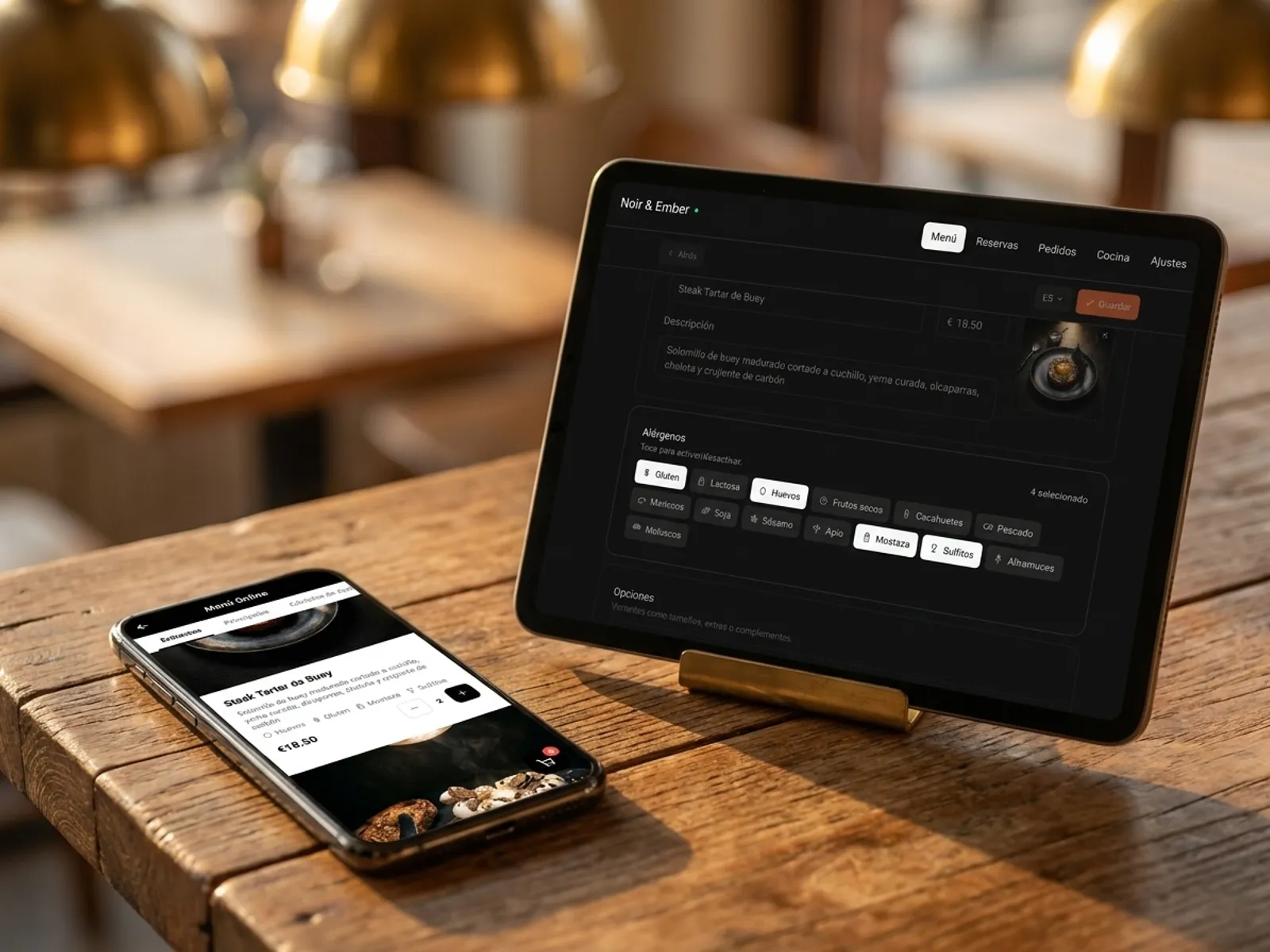
Allergen and dietary tags.
Mark dishes for gluten, lactose, nuts, seafood, vegan and gluten-free options. Guests filter the menu by their dietary needs and order with greater confidence.
- 14 standard allergen categories on every dish.
- Vegan, vegetarian and gluten-free tags in a single click.
- Guests filter the menu by their dietary constraints.
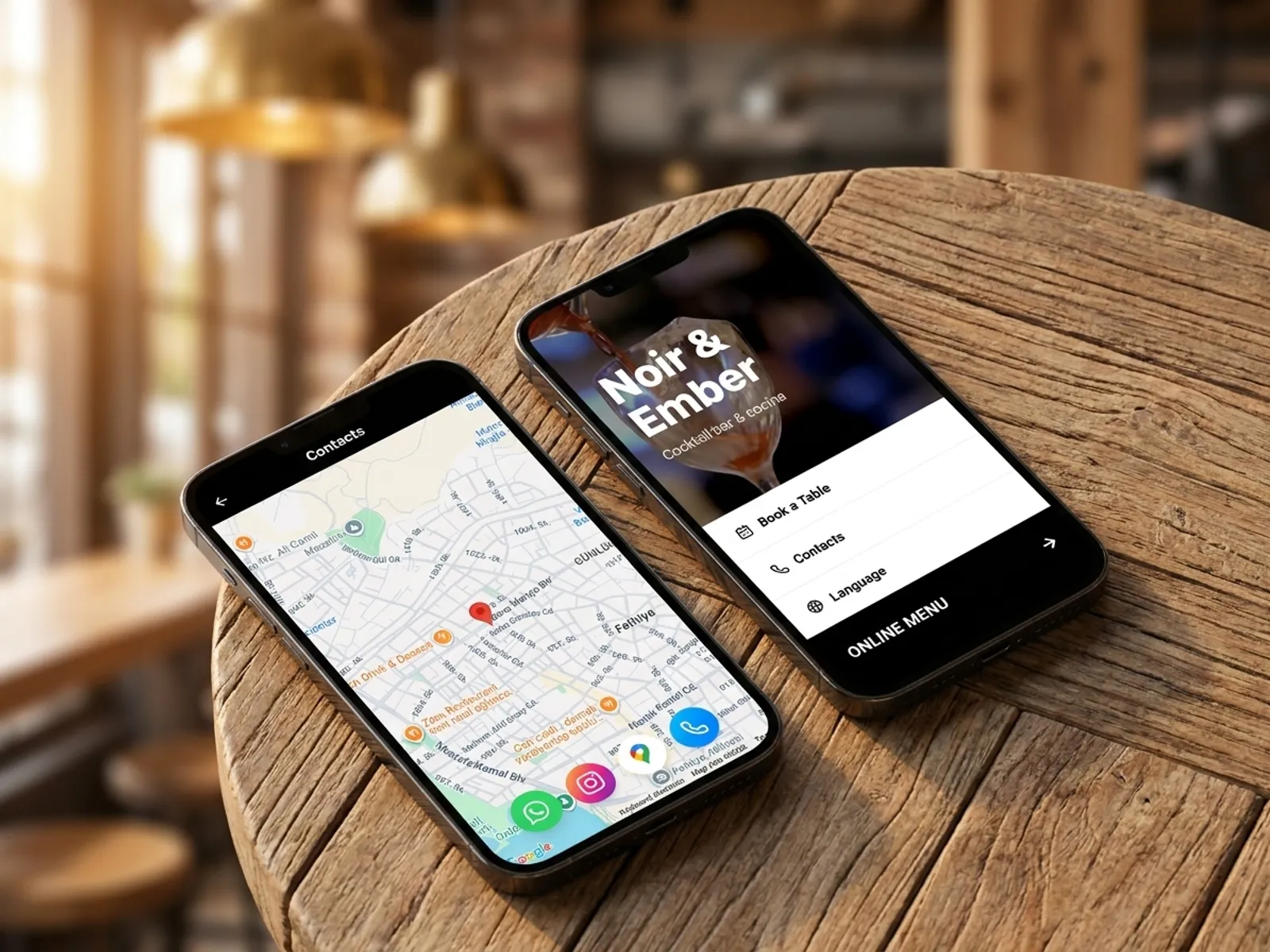
Premium design with video background and contact page.
A video or photo on the welcome screen, restaurant description, dedicated contact page with map, phone numbers and social profiles. The digital menu looks like a full restaurant website, not a PDF behind a QR code.
- Video background or large photo on the welcome screen.
- Restaurant and category descriptions — tell the story of the concept.
- Contact page: map, phone, Instagram, WhatsApp.
A photoless menu looks just as good.
Some items might not have photos — and that is perfectly fine. IQ Rest renders cards with and without images consistently: typography, allergens and prices keep a premium feel. A mix of items with and without photos stays cohesive.
- Cards without photos do not look empty.
- Typography adapts to the card content.
- Consistent style for items with and without images.
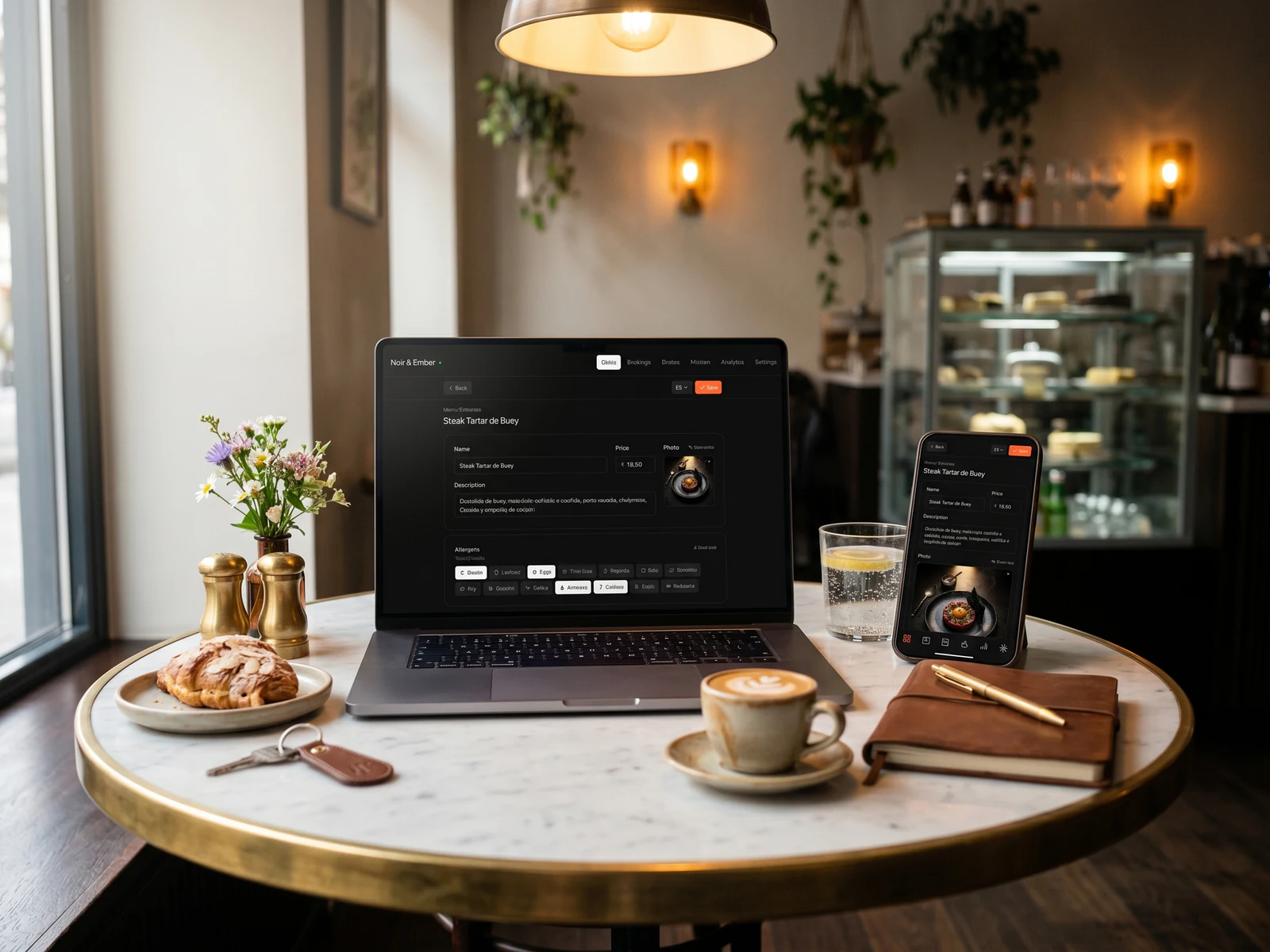
Manage the menu from any device.
A single panel opens in the browser on phone, tablet or laptop. Change a price, take a dish off the stop list or add a special — guests see the change within seconds. No installs, no integrations.
- No app to install — open a browser and you are in.
- Prices, photos and stop list — a few taps from the phone.
- Manage the menu from anywhere, including the floor.
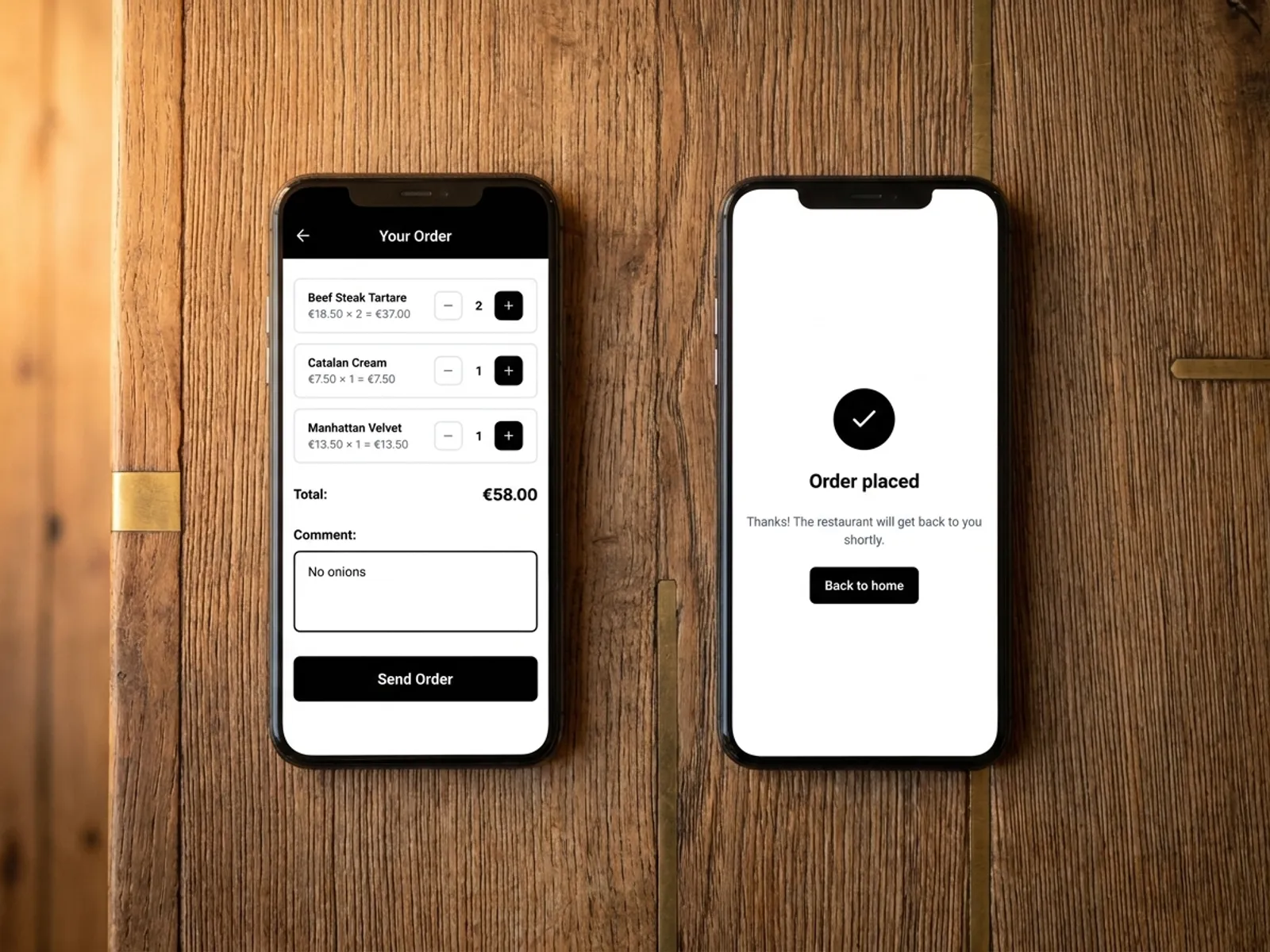
Guests place orders straight from the menu.
Guests build a cart in the QR menu and send the order — it lands with the waiter on the floor or on the kitchen tablet. The feature can be enabled or disabled in settings at any time.
- Cart, comments and order sending with a single tap.
- Order lands instantly in the admin panel, WhatsApp or on the kitchen display.
- Feature is toggled in settings.
Built by restaurateurs
My wife and I ran our own café and we know first-hand how a restaurant day really works — order taking, bookings, floor and kitchen flow. We wanted a single tool: modern, easy to launch and clear at a glance — so we started building the platform we develop for other restaurateurs.

Bogdan Sokolov
founder, former café owner
Pricing. No hidden fees.
One transparent monthly fee. No percentage on orders and no aggregator commissions. Cancel the subscription anytime.
Basic
Menu, QR ordering and AI translation. Live in 5 minutes.
billed annually · €82.80 per year
or €9.90/mo · save €36.00 per year
- QR menu for every table
- Digital menu with photos and allergens
- AI translation in 35 languages
- Orders from the menu (optional)
- AI dish photo generation
- Manage from any phone or tablet
14 days free · No card required · Cancel anytime
Pro
Full restaurant control: kitchen display and bookings.
billed annually · €298.80 per year
or €31.90/mo · save €84.00 per year
- Everything in Basic
- Kitchen display (KDS)
- Online table booking 24/7
- Priority WhatsApp support
14 days free · No card required · Cancel anytime
Frequently asked questions.
What restaurateurs ask about the digital menu in IQ Rest. Can't find your question? Message us on WhatsApp.
Ask on WhatsAppDo I need technical skills or CMS experience?
No, special skills are not required. Every action in the admin panel is point-and-click and drag-and-drop — without any code. Adding a menu item takes a few seconds: name, price, photo. A full menu setup usually takes 30 minutes to an hour.
What is IQ Rest digital menu?
IQ Rest is a cloud platform for restaurants. The digital menu is the online version of your menu, available to guests via a QR code or a direct link: dish photos, prices, allergens, AI translation in 35 languages, real-time updates. The menu is hosted on our servers; you don't have to install or maintain software — just open a browser.
Do guests need an app or special hardware?
No. Guests point their phone camera at the QR code and the menu opens in the browser. The admin panel for the restaurant also runs in any modern browser — phone, tablet or laptop. QR codes print on any office printer.
Can I host the menu on my own domain?
Yes. We support a custom domain with an SSL certificate — guests see the menu on your restaurant's address (e.g. menu.yourrestaurant.com). We help with the DNS setup; it usually takes 5–10 minutes.
Can I manage multiple restaurants from one account?
Yes, on request. One account can host several restaurants: each venue with its own menu, design, QR codes and analytics. Message us on WhatsApp and we'll enable the multi-restaurant mode for your group.
How hard is it to set up the menu from scratch?
The setup consists of three steps: (1) create categories; (2) add items with names, prices and photos; (3) print QR codes for the tables. If you already have a paper menu or a PDF, upload it — the AI will recognise categories, names and prices and fill the cards automatically. A basic menu can go live in 5 minutes; the full setup time depends on the number of items.
What kind of support do you offer?
We are available on WhatsApp during business hours and reply quickly by email. We help with the initial setup, domain configuration, menu design and any non-standard situations. If you need a demo or hands-on support during launch — message us.
Live in 5 minutes. 14 days free.
No card required, cancel anytime. Join 500+ restaurants already running on IQ Rest.
14 days free · No card required · Cancel anytime