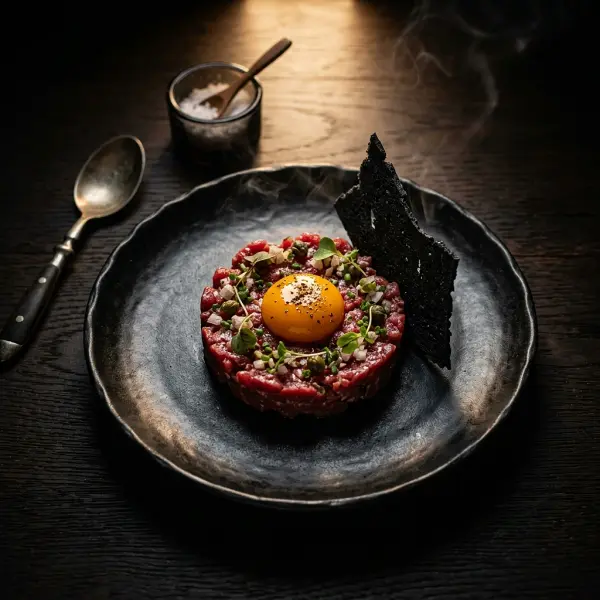
Smoked Old Fashioned
€13.00Bourbon, demerara sugar, aromatic bitters, applewood smoke and orange peel
Sulphites
Guests scan the QR menu at the table, build the cart, send the order — and it lands on your kitchen tablet or your WhatsApp. No aggregator, no commission, real table number on every ticket.
Upload a photo of your printed menu — AI extracts categories, items and prices straight into the editor. From there the cart and the QR are one click away.
In depth
Not a marketplace. Not a delivery aggregator. A direct line from the guest's phone at your table to your kitchen tablet — or your WhatsApp.
A restaurant online ordering system in the IQ Rest sense is the software that lets a guest sitting at one of your tables open the menu on their phone, build a cart and send the order to your kitchen — without involving Uber Eats, Glovo, Wolt or any other marketplace. The guest never leaves your QR menu, you never pay a per-order fee, and the order arrives with the real table number on it.
IQ Rest is built around two delivery channels. The default, internal mode, sends every new order to the Kitchen tab of the dashboard on whatever tablet, phone or laptop you keep on the pass — it shows the table number, the items with their variants and allergens, the guest's free-text comment and a daily order number for the kitchen. The alternative, WhatsApp mode, formats the same order as a message and sends it to your restaurant's WhatsApp number — useful when you have a small team, when ordering is mostly takeaway, or when the manager is off-site. Both modes can run at the same time.
QR per table, scan-to-order, no app to install
Orders land on the kitchen or manager tablet in real time
Or routed to the restaurant's WhatsApp number — your choice
Item modifiers, variants and allergens carried through to the ticket
Free-text comment from the guest on every order
Daily order numbering for the kitchen
Multilingual checkout in 35 languages, auto-detected per guest phone
Zero per-order commission — flat monthly subscription
Four switches inside the dashboard and you're live. No installer, no POS hardware, no integration project.
Open the restaurant's settings, flip the Orders Enabled toggle on and choose which guest fields (name, phone, address) you want to collect.
Internal mode sends new orders to the Kitchen tab in the dashboard. WhatsApp mode formats the order as a message and sends it to your venue's WhatsApp number. Or run both at once.
Download the QR (one per table or one for the whole venue) as PDF or PNG and stick it on the tables. Guests scan with the native camera — no app store, no friction.
Orders pop up in the Kitchen tab with the table number, items, variants, allergens, comment and daily number. Tap to move through new → in progress → completed. The guest's browser updates in real time.
| Characteristic | Delivery aggregator | Classic POS | IQ Rest ordering |
|---|---|---|---|
| Per-order commission | 20–30% | 0% | 0% (flat €6.90/mo) |
| Order destination | Aggregator app | Your own till | Your kitchen tablet or WhatsApp |
| Table number on ticket | No | Manual | Yes, automatic |
| Modifiers / variants | Limited | Yes | Yes, with allergens |
| Multilingual checkout | Their app's locale | No | 35 languages, auto-detected |
| Hardware required | Aggregator tablet | POS terminal | Any tablet with a browser |
| Setup time | Onboarding call | Days–weeks | 5 minutes |
A restaurant online ordering system you actually own pays itself back the first weekend — every euro a guest spends in your venue stays in your venue, and the ticket on the pass always shows the real table number.
Real functionality you'll actually use — not a delivery-aggregator clone.

Built by a café owner, not a delivery startup
“My wife and I opened a café and spent weeks looking for a way to take orders from the table that didn't hand 30% to an aggregator or require a €1500 POS system. Everything we tried was either bloated, expensive or missing the basics — so we built the ordering system we wished we had.”
Bogdan Sokolov · founder, former café owner
No installation, no integrator, no IT call. Just your phone and 5 minutes.
Online ordering, QR menu, WhatsApp orders, multilingual checkout and analytics — all in one subscription. No per-transaction cut.
Monthly
Yearly
Billed annually €82.80
You save €36.00
What owners ask before turning on online ordering with IQ Rest. Question not here? Message us on WhatsApp — real humans answer.
Ask on WhatsAppNo, and that's the point. IQ Rest is your restaurant's own ordering channel — guests order from your QR menu, the order lands on your tablet or WhatsApp, you serve it. There's no marketplace, no aggregator catalogue, and we never take a cut of the bill.
In the Kitchen tab of the IQ Rest dashboard on whatever tablet or phone you keep on the pass or the bar. Each order shows the table number, items with variants and allergens, the guest's comment and the daily order number. You move it through new → in progress → completed with one tap.
Yes. Each restaurant has three modes: internal (kitchen tablet only), WhatsApp (the order is sent as a formatted message to your restaurant WhatsApp number) or both at once. The mode is a single setting in the dashboard — switch it any time.
Items with their selected variants and add-ons (price deltas included), allergens, the table number, a free-text comment from the guest and — if you've turned the fields on — the guest's name, phone and address. It's enough to send a takeaway driver or to call the table back about an allergy.
Not by default. IQ Rest is built around pay-at-the-table service — guests order, you bring the bill, they pay how they always did. Online card payment can be wired up on request via a Stripe Connect integration; reach out on WhatsApp if you need it for takeaway.
No. Any tablet, laptop or phone with a browser works — open the dashboard, sign in, leave the Kitchen tab open. If you already have a POS, IQ Rest sits alongside it; we don't replace your till.
They see an in-browser confirmation with the daily order number. The Kitchen tab on your side updates in real time — when you mark the order as in-progress or completed, the guest sees the updated status without refreshing.
Yes. Each restaurant has an Orders Enabled toggle. Turn it off and the menu still works — guests can browse, allergens still filter, language still switches — but the cart is hidden. Good for venues that only need the QR menu without the ordering layer.
If you don't add a payment method, the account pauses — we never auto-charge. The menu, orders and settings stay saved; add a card whenever you want to reactivate. Cancel any time, no commitment.
14 days free, no card required. Cancel any time. Join 500+ restaurants running their own online ordering with IQ Rest.
From €6.90/month · 14 days free · Cancel anytime