
Turn Your QR Menu into an Online Ordering System
Customers scan, browse your menu, and place their order in seconds. No app downloads, no commissions, no complexity.
No credit card required. Free plan available.
How Online Ordering Works
Two simple steps connect your menu to your kitchen.
Guests Browse & Select Items
Customers scan your QR code and see your full menu with photos, descriptions, and prices. They add items to their order with a single tap — no sign-up needed.
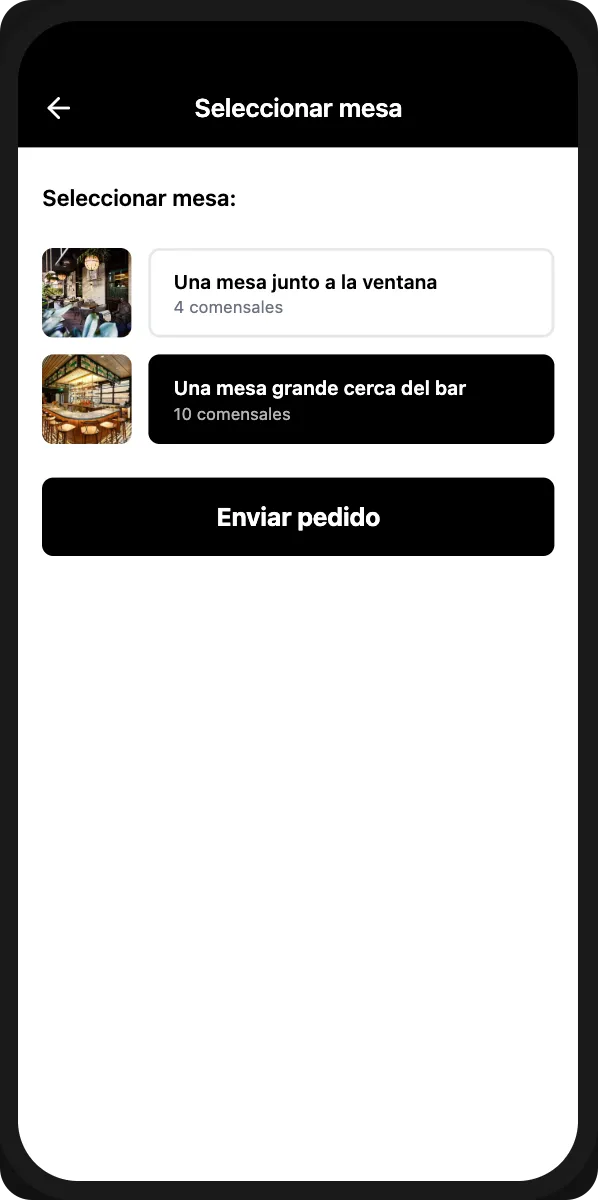
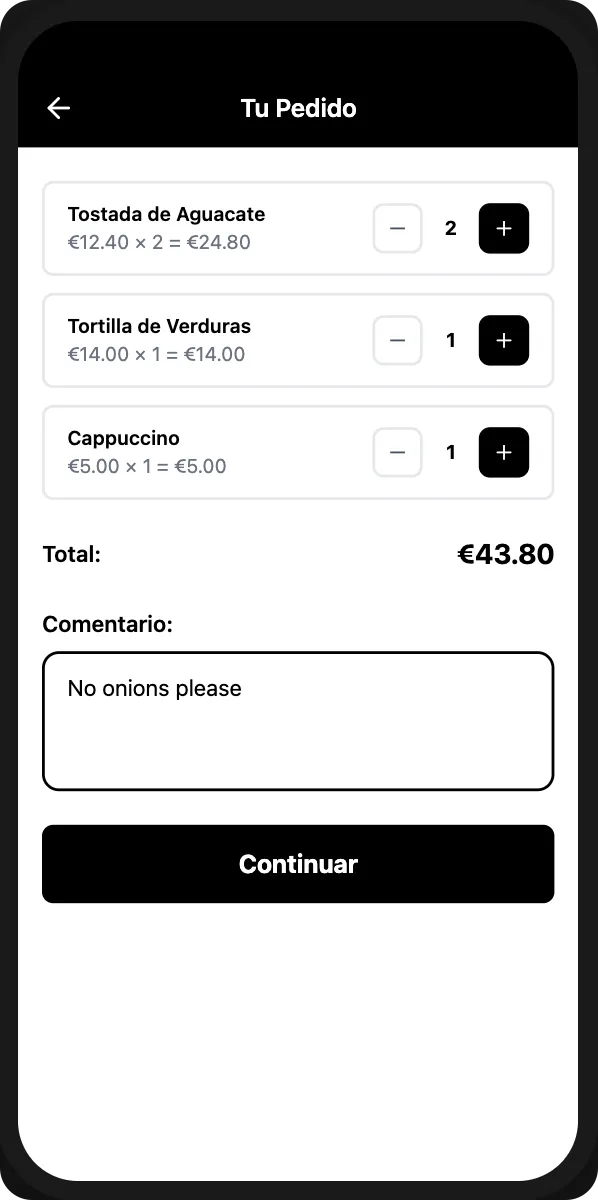
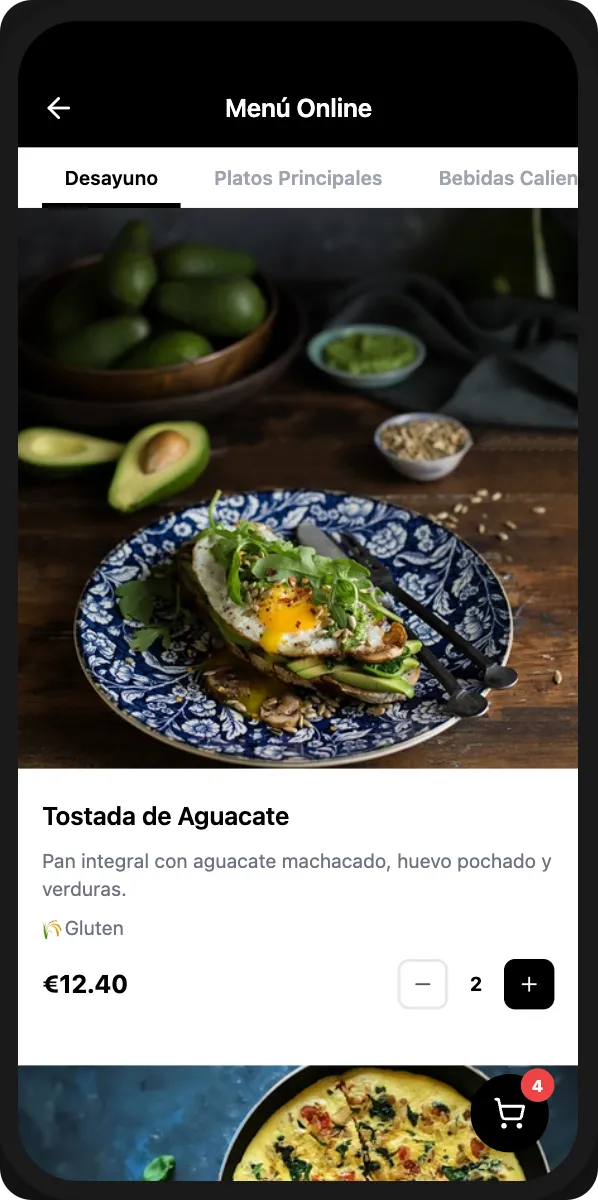
Guests Browse & Select Items
Customers scan your QR code and see your full menu with photos, descriptions, and prices. They add items to their order with a single tap — no sign-up needed.
Orders Appear in Your Dashboard
When ready, guests tap the order button. The order instantly appears in your dashboard with item details, table number, and any notes. Accept, start preparing, and mark as complete.
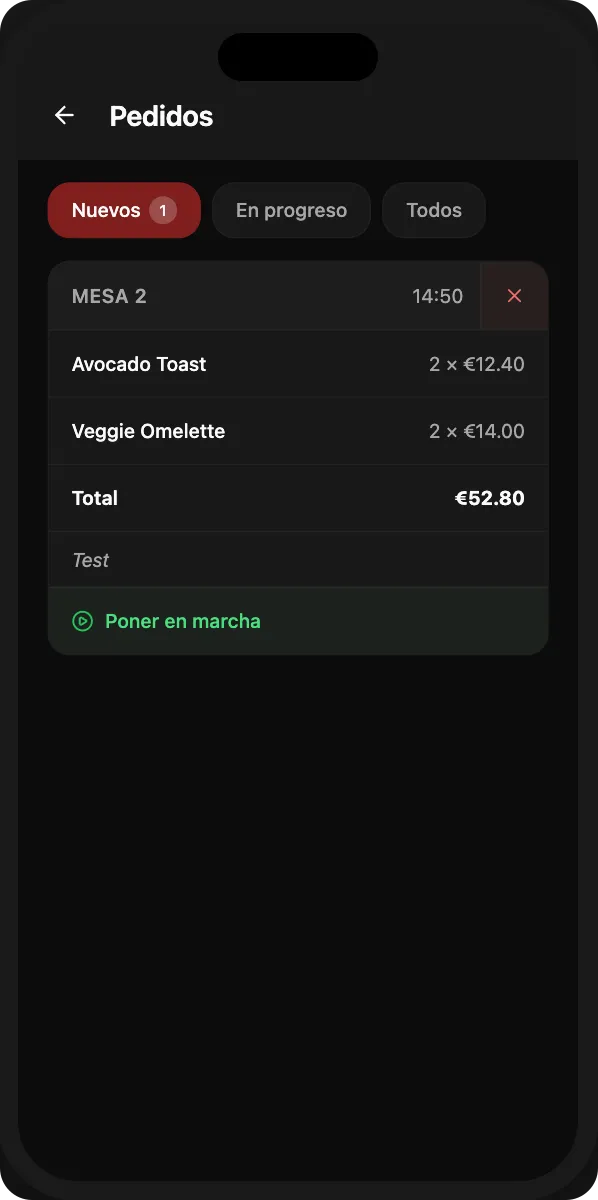
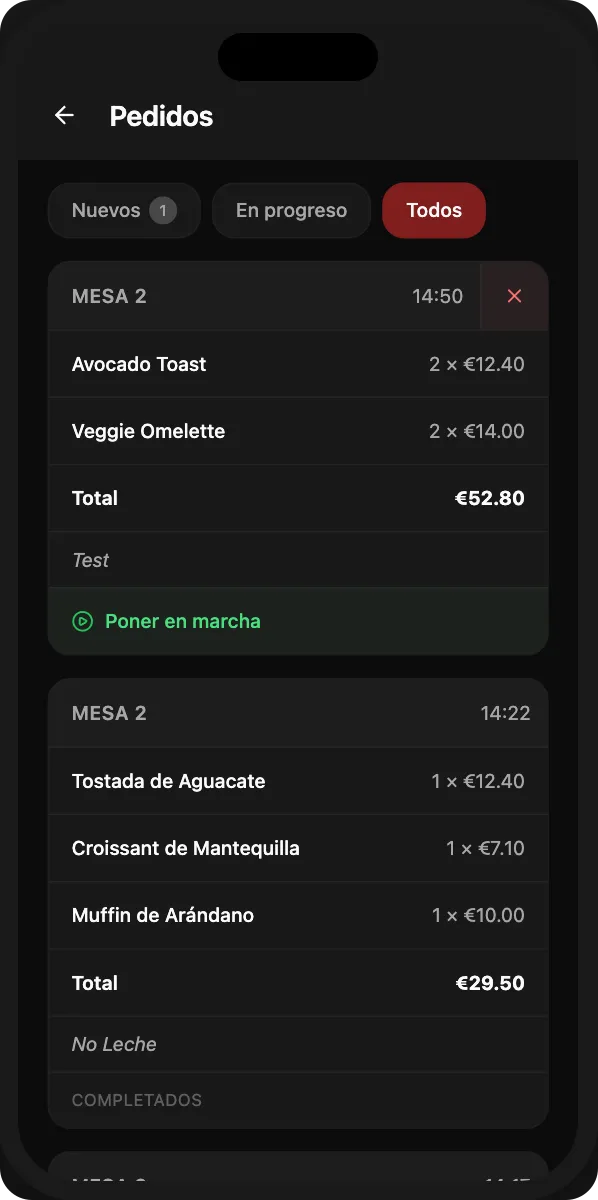
Orders Appear in Your Dashboard
When ready, guests tap the order button. The order instantly appears in your dashboard with item details, table number, and any notes. Accept, start preparing, and mark as complete.
Key Benefits
How It Works
From setup to receiving your first order in five simple steps.
Enable Online Ordering
Toggle orders on in your Design settings. Choose your preferred mode: orders appear in your dashboard, get forwarded to WhatsApp, or both simultaneously.
Configure the Order Form
Select which fields customers must fill in when placing an order. Name is always required, and you can optionally ask for phone number and delivery address.
Print QR Codes for Tables
Each table in your restaurant gets its own unique QR code. When guests scan it, their order automatically arrives with the correct table number attached.
Customers Place Orders
Guests scan the QR code, browse your menu with photos and prices, select items, add notes, and submit their order. No app download or account creation needed.
Manage Orders in Your Dashboard
Orders appear instantly in your dashboard. Update each order's status from new to in progress to completed. You keep 100% of the revenue — zero commissions.
Frequently Asked Questions
Everything you need to know about online ordering.
One plan. Everything included.
QR menu, ordering system, AI translation, restaurant website & reservations.
One simple price.
No credit card · Cancel anytime
Still have questions?
Write to us — we'll answer all your questions and help you create your menu.
Ready to Get Started?
Create your professional QR menu and restaurant website in minutes. All features included.